Cloud Security: A Complete Beginner-to-Advanced Guide for Modern Businesses
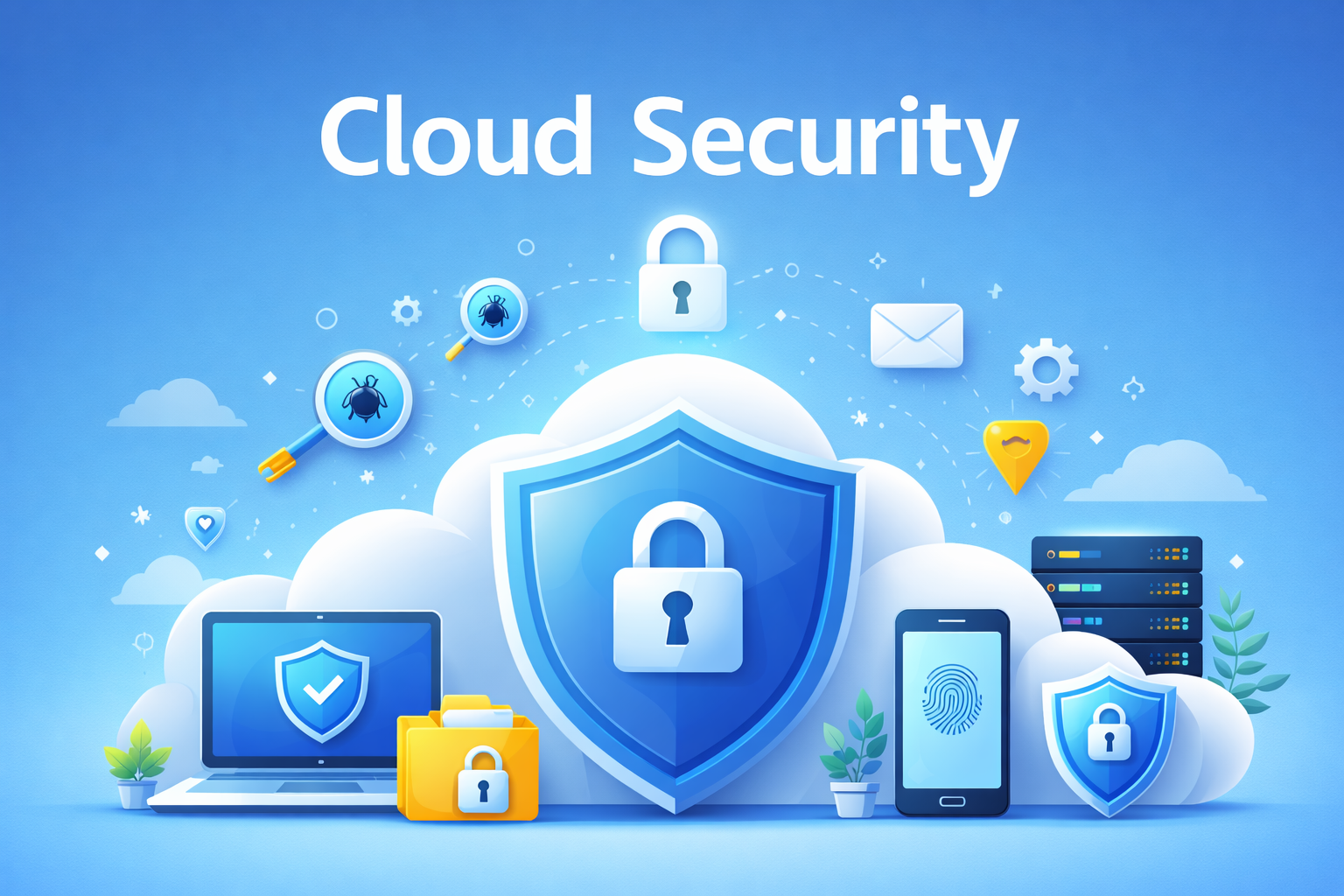
Cloud security has become one of the most critical topics in today’s digital world. As organizations move their data, applications, and infrastructure to the cloud, protecting these assets from cyber threats is no longer optional—it is essential. Cloud security focuses on safeguarding cloud-based systems, data, and services from unauthorized access, data breaches, malware, and other cyber risks.
This detailed guide on cloud security is written in simple language for students, beginners, professionals, and business owners. It covers everything from basic cloud concepts to advanced cloud security strategies, making it suitable for learning, interviews, and real-world implementation.
Table of Contents
- What is Cloud Computing?
- What is Cloud Security?
- Why Cloud Security is Important
- Shared Responsibility Model
- Types of Cloud Deployment Models
- Cloud Service Models
- Common Cloud Security Threats
- Data Security in the Cloud
- Identity & Access Management
- Cloud Network Security
- Compliance & Regulations
- Cloud Security Best Practices
- Future of Cloud Security
What is Cloud Computing?
Cloud computing refers to the delivery of computing services such as servers, storage, databases, networking, software, and analytics over the internet. Instead of owning and maintaining physical hardware, organizations can rent computing resources from cloud service providers on a pay-as-you-go basis.
The cloud enables flexibility, scalability, and cost efficiency. Businesses can quickly scale their infrastructure up or down based on demand without worrying about hardware limitations. This is one of the main reasons cloud adoption has grown rapidly across industries.
However, while cloud computing offers many benefits, it also introduces new security challenges. Since data and applications are hosted outside traditional on-premises environments, organizations must adopt strong cloud security measures to protect sensitive information.
What is Cloud Security?
Cloud security is a set of policies, controls, procedures, and technologies designed to protect cloud-based systems, data, and infrastructure. It ensures confidentiality, integrity, and availability of information stored or processed in the cloud.
Unlike traditional security, cloud security operates in a shared environment. This means both the cloud provider and the customer are responsible for securing different parts of the cloud infrastructure. Understanding this shared model is crucial for effective cloud security management.
Cloud security includes multiple layers such as data encryption, identity and access management, network security, monitoring, compliance, and incident response. Together, these layers help prevent cyber attacks and reduce the impact of security incidents.
Why Cloud Security is Important
Cloud security is important because organizations store highly sensitive data in the cloud, including personal information, financial records, intellectual property, and business secrets. A single security breach can result in financial loss, legal penalties, reputational damage, and loss of customer trust.
As cyber attacks become more sophisticated, cloud environments are increasingly targeted by hackers. Misconfigured cloud settings, weak passwords, and lack of monitoring are common reasons for cloud security incidents.
Strong cloud security helps organizations maintain business continuity, meet compliance requirements, and safely adopt modern technologies such as artificial intelligence, big data, and remote work solutions.
Shared Responsibility Model
The shared responsibility model defines how security responsibilities are divided between the cloud service provider and the customer. While the provider secures the underlying cloud infrastructure, customers are responsible for securing their data, applications, and access controls.
For example, cloud providers manage physical data centers, hardware, and network infrastructure. Customers, on the other hand, must manage user access, configure security settings, protect data, and ensure compliance with regulations.
Many cloud security failures occur because organizations misunderstand this model. Assuming that the provider handles all security aspects can lead to serious vulnerabilities. Therefore, understanding shared responsibility is a foundation of effective cloud security.
Types of Cloud Deployment Models
Cloud deployment models define how cloud infrastructure is set up and who has access to it. Choosing the right cloud deployment model is important because it directly impacts security, compliance, performance, and cost.
There are four main types of cloud deployment models: Public Cloud, Private Cloud, Hybrid Cloud, and Multi-Cloud. Each model has its own advantages, risks, and security responsibilities.
Public Cloud
In a public cloud, computing resources are owned and managed by a third-party cloud service provider and shared among multiple customers. Users access these resources over the internet.
Public clouds are cost-effective and highly scalable, making them popular for startups and growing businesses. However, because resources are shared, strong cloud security controls are required to protect sensitive data.
Security in public cloud environments depends heavily on proper configuration, access control, encryption, and continuous monitoring. Most security breaches in public cloud occur due to customer misconfigurations rather than provider failures.
Private Cloud
A private cloud is dedicated to a single organization. It can be hosted on-premises or by a third-party provider. Private clouds offer greater control and customization compared to public clouds.
Organizations with strict regulatory or compliance requirements often choose private clouds. Since resources are not shared, private clouds provide higher levels of isolation and security.
However, private clouds require more effort to manage and secure. The organization is responsible for maintaining infrastructure security, applying updates, and handling incident response.
Hybrid Cloud
A hybrid cloud combines public and private cloud environments, allowing data and applications to move between them. This approach offers flexibility and better workload optimization.
Organizations often use hybrid clouds to keep sensitive data in private clouds while running less critical workloads in public clouds. This balances security and cost efficiency.
Hybrid cloud security can be complex because it involves securing multiple environments. Consistent security policies, identity management, and monitoring are essential to avoid gaps.
Multi-Cloud
Multi-cloud refers to using multiple cloud service providers simultaneously. Organizations adopt this approach to avoid vendor lock-in and improve resilience.
While multi-cloud increases flexibility, it also increases security complexity. Each cloud provider has its own security tools, configurations, and policies.
Effective multi-cloud security requires centralized visibility, unified access control, and consistent compliance enforcement across all platforms.
Cloud Service Models
Cloud service models define how much control customers have over infrastructure and how much responsibility the cloud provider takes. Understanding these models helps organizations apply the correct cloud security measures.
Infrastructure as a Service (IaaS)
Infrastructure as a Service provides virtualized computing resources such as servers, storage, and networking. Customers have full control over operating systems, applications, and configurations.
In IaaS, the cloud provider secures the physical infrastructure, while customers are responsible for securing virtual machines, operating systems, applications, and data.
Common cloud security responsibilities in IaaS include patch management, firewall configuration, identity and access management, and data encryption.
Platform as a Service (PaaS)
Platform as a Service provides a platform for developers to build, deploy, and manage applications without worrying about underlying infrastructure.
In PaaS, the cloud provider manages servers, operating systems, and runtime environments. Customers focus on application code and data security.
PaaS security involves securing application logic, managing user access, protecting sensitive data, and ensuring secure integrations with external services.
Software as a Service (SaaS)
Software as a Service delivers fully managed applications over the internet. Users access software through a browser without managing infrastructure or platforms.
In SaaS, the cloud provider handles most security responsibilities, including infrastructure, application updates, and availability. Customers are mainly responsible for user access and data usage.
SaaS security best practices include strong authentication, access control, data classification, and monitoring user activities to prevent misuse.
Common Cloud Security Threats
Cloud environments face many security threats, similar to traditional systems, but often on a larger scale. Because cloud services are accessible over the internet, attackers actively target cloud platforms to steal data, disrupt services, or gain unauthorized access.
Understanding common cloud security threats helps organizations take preventive measures and reduce the risk of security incidents. Most cloud attacks are not caused by advanced hacking techniques but by simple mistakes and weak security practices.
Cloud Misconfiguration
Misconfiguration is one of the leading causes of cloud security breaches. It occurs when cloud resources such as storage buckets, virtual machines, or databases are incorrectly configured.
Examples of misconfiguration include publicly accessible storage, open network ports, weak access permissions, and disabled security monitoring. These mistakes can expose sensitive data to unauthorized users.
Regular security audits, automated configuration checks, and following security best practices can significantly reduce misconfiguration risks.
Data Breaches
A data breach occurs when sensitive information is accessed, disclosed, or stolen without authorization. In cloud environments, data breaches can impact millions of records within minutes.
Weak passwords, stolen credentials, unsecured APIs, and lack of encryption are common causes of cloud data breaches. Once attackers gain access, they can copy or manipulate data without being detected.
Implementing strong authentication, encryption, and continuous monitoring helps prevent data breaches and detect suspicious activity early.
Account Hijacking
Account hijacking happens when attackers gain control of cloud accounts using stolen credentials or phishing attacks. Once inside, attackers can modify resources, steal data, or disrupt services.
Cloud accounts often have powerful permissions. A compromised administrator account can cause serious damage within a short time.
Multi-factor authentication, least privilege access, and regular credential rotation are effective ways to prevent account hijacking.
Insider Threats
Insider threats originate from people within the organization, such as employees, contractors, or partners. These individuals may misuse their access intentionally or accidentally.
In cloud environments, insiders often have access to critical systems and data. Lack of monitoring and excessive permissions increase the risk of insider threats.
Role-based access control, logging, and activity monitoring help reduce insider threat risks and provide accountability.
Malware and Ransomware
Malware is malicious software designed to damage systems, steal data, or disrupt operations. Ransomware encrypts data and demands payment for its release.
Cloud workloads can be infected through compromised applications, insecure APIs, or malicious downloads. Once malware enters the cloud environment, it can spread quickly.
Regular patching, secure application development, and threat detection tools help prevent malware attacks in the cloud.
Distributed Denial of Service (DDoS) Attacks
DDoS attacks overwhelm cloud services with massive traffic, making applications unavailable to legitimate users. These attacks aim to disrupt business operations.
Cloud platforms are common targets for DDoS attacks because they host high-traffic applications. Even short outages can result in revenue loss and reputational damage.
Cloud-native DDoS protection, traffic filtering, and rate limiting help mitigate the impact of these attacks.
Insecure APIs
Application Programming Interfaces (APIs) allow cloud services to communicate with applications and other systems. Insecure APIs can expose sensitive data and functionality to attackers.
Common API security issues include lack of authentication, weak authorization, and insufficient input validation. Attackers can exploit these weaknesses to access or manipulate cloud resources.
Securing APIs with authentication, encryption, and regular testing is essential for protecting cloud environments.
Data Security in the Cloud
Data security is one of the most critical aspects of cloud security. Organizations store sensitive information in the cloud, including personal data, financial records, business documents, and intellectual property. Protecting this data from unauthorized access and loss is a top priority.
Cloud data security focuses on protecting data throughout its lifecycle, from creation and storage to processing and deletion. Effective data security helps prevent breaches, data leaks, and compliance violations.
Data Encryption
Encryption is the process of converting data into an unreadable format using cryptographic algorithms. Only authorized users with the correct decryption key can access the original data.
In cloud environments, encryption protects data from unauthorized access even if attackers manage to breach the system. Encryption is one of the most effective security controls for protecting sensitive information.
Cloud data encryption is commonly divided into two categories: encryption at rest and encryption in transit.
Encryption at Rest
Encryption at rest protects data stored in cloud storage services, databases, and backups. If physical storage devices are compromised, encrypted data remains unreadable.
Most cloud providers offer built-in encryption for storage services. Organizations should ensure encryption is enabled and properly managed for all sensitive data.
Encryption in Transit
Encryption in transit protects data as it travels between users, applications, and cloud services. It prevents attackers from intercepting and reading data during transmission.
Secure communication protocols such as HTTPS and TLS are commonly used to encrypt data in transit within cloud environments.
Key Management
Encryption is only effective if encryption keys are properly managed. Key management involves generating, storing, rotating, and revoking encryption keys securely.
Poor key management practices can undermine encryption and expose sensitive data. Organizations should restrict access to encryption keys and regularly rotate them to reduce risk.
Backup and Disaster Recovery
Backup and disaster recovery ensure data availability in case of accidental deletion, system failures, or cyber attacks. Cloud environments make it easier to create automated and scalable backups.
Regular backups protect organizations from ransomware attacks by allowing them to restore data without paying attackers. Backups should be encrypted and stored in secure, isolated locations.
Disaster recovery planning includes testing backup restoration processes to ensure data can be recovered quickly during emergencies.
Data Loss Prevention (DLP)
Data Loss Prevention tools help detect and prevent unauthorized sharing or leakage of sensitive data. DLP policies monitor data movement and enforce security controls.
In cloud environments, DLP helps protect data stored in applications, databases, and collaboration tools. It reduces the risk of accidental data exposure.
Effective DLP strategies include data classification, access control, monitoring, and user awareness training.
Secure Data Deletion
Secure data deletion ensures that data is permanently removed when it is no longer needed. Simply deleting files may not completely erase data from storage.
Cloud providers offer secure deletion methods to ensure data cannot be recovered. Organizations should follow data retention policies and compliance requirements when deleting data.
Identity and Access Management (IAM)
Identity and Access Management, commonly known as IAM, is a fundamental component of cloud security. IAM controls who can access cloud resources and what actions they are allowed to perform. Without proper IAM, even the most secure cloud infrastructure can be compromised.
Cloud environments are highly dynamic, with users, applications, and services constantly interacting. IAM ensures that only authorized identities can access cloud systems and sensitive data.
Authentication
Authentication is the process of verifying the identity of a user, system, or application. It answers the question: “Who are you?”
In cloud security, authentication typically involves usernames and passwords, but modern systems use stronger methods such as multi-factor authentication.
Strong authentication reduces the risk of unauthorized access caused by stolen or weak credentials.
Multi-Factor Authentication (MFA)
Multi-factor authentication adds an extra layer of security by requiring users to provide more than one verification factor. This may include something they know, something they have, or something they are.
Even if an attacker steals a password, MFA can prevent access to cloud accounts. Enabling MFA is one of the simplest and most effective cloud security practices.
Authorization
Authorization determines what an authenticated user is allowed to do. It answers the question: “What are you allowed to access?”
In cloud environments, authorization is managed through policies that define permissions for users, roles, and services. Proper authorization prevents users from accessing resources beyond their responsibilities.
Principle of Least Privilege
The principle of least privilege means granting users and applications only the minimum permissions required to perform their tasks. This limits the damage that can occur if an account is compromised.
Excessive permissions are a common cloud security issue. Regular permission reviews and access audits help enforce least privilege.
Role-Based Access Control (RBAC)
Role-Based Access Control assigns permissions based on job roles rather than individual users. This simplifies access management and improves security.
For example, a developer role may have access to development resources but not production systems. RBAC ensures consistent and controlled access across the organization.
Identity Federation
Identity federation allows users to access cloud services using existing corporate credentials. This reduces the need for separate cloud usernames and passwords.
Federated identity improves user experience and security by centralizing authentication and access control.
Zero Trust Security Model
Zero Trust is a security approach that assumes no user or system is trusted by default, even if they are inside the network. Every access request must be verified.
In cloud environments, Zero Trust relies heavily on IAM, continuous authentication, and strict access policies to protect resources.
Cloud Network Security
Cloud network security focuses on protecting the communication paths between cloud resources, users, and applications. Since cloud services rely heavily on network connectivity, securing cloud networks is essential to prevent unauthorized access and data interception.
Unlike traditional on-premises networks, cloud networks are software-defined and highly dynamic. This requires a different approach to network security, using cloud-native tools and continuous monitoring.
Virtual Networks
Virtual networks are isolated network environments created within the cloud. They allow organizations to define IP address ranges, subnets, and routing rules for their cloud resources.
Properly designed virtual networks improve security by isolating workloads and controlling traffic flow. Sensitive systems should be placed in private subnets with limited external access.
Cloud Firewalls
Cloud firewalls control incoming and outgoing network traffic based on predefined security rules. They act as a barrier between trusted and untrusted networks.
Cloud providers offer native firewall services that can be configured to allow or deny traffic based on IP addresses, ports, and protocols. Proper firewall configuration is essential for reducing attack surfaces.
Security Groups and Network Rules
Security groups act as virtual firewalls for cloud resources such as virtual machines and containers. They define which traffic is allowed to reach resources.
Applying strict security group rules helps prevent unauthorized access and limits communication only to necessary services.
Network Segmentation
Network segmentation divides cloud networks into smaller, isolated segments. This reduces the spread of attacks and limits lateral movement within the network.
For example, separating development, testing, and production environments helps prevent accidental or malicious access across systems.
Virtual Private Networks (VPNs)
Virtual Private Networks create secure, encrypted connections between on-premises systems and cloud networks. VPNs protect data transmitted over public networks.
VPNs are commonly used for remote access and hybrid cloud connectivity, ensuring secure communication between users and cloud resources.
Private Connectivity
Private connectivity options allow organizations to connect to cloud services without using the public internet. This improves security and performance.
Using private connections reduces exposure to network-based attacks and ensures more predictable network behavior.
Network Monitoring and Traffic Analysis
Continuous network monitoring helps detect suspicious activity, unusual traffic patterns, and potential security incidents in real time.
Traffic analysis tools provide visibility into data flows within cloud networks and support faster incident response.
Compliance and Regulatory Requirements
Compliance in cloud security refers to following laws, regulations, standards, and industry guidelines that govern how data is stored, processed, and protected. Organizations using cloud services must ensure their cloud environments meet applicable compliance requirements.
Failure to comply with regulations can result in legal penalties, financial loss, and damage to organizational reputation. Cloud security and compliance go hand in hand in modern digital environments.
Data Privacy and Protection Laws
Data privacy laws regulate how personal and sensitive data is collected, stored, and processed. These laws aim to protect individual rights and ensure responsible data handling.
Organizations must understand where their data is stored and how it is processed in the cloud. Data residency and cross-border data transfers are key compliance considerations.
Industry Compliance Standards
Industry standards provide guidelines and best practices for securing information systems. Many organizations adopt these standards to demonstrate strong security posture and gain customer trust.
Cloud providers often comply with multiple standards, but customers are still responsible for configuring their cloud resources in a compliant manner.
Cloud Security Audits
Cloud security audits evaluate whether cloud systems meet security and compliance requirements. Audits help identify gaps and improve security controls.
Regular audits provide visibility into security posture and support continuous improvement. Automated tools can simplify cloud audit processes.
Cloud Governance
Cloud governance defines policies, roles, and responsibilities for managing cloud resources securely and efficiently. Governance ensures consistent security practices across cloud environments.
Effective governance includes policy enforcement, cost management, access control, and compliance monitoring.
Cloud Risk Management
Risk management involves identifying, assessing, and mitigating security risks in cloud environments. It helps organizations prioritize security efforts.
Cloud risk management includes threat modeling, vulnerability assessments, incident response planning, and continuous monitoring.
Cloud Security Best Practices
Implementing cloud security best practices helps organizations reduce risks, prevent breaches, and maintain a strong security posture. These practices apply to organizations of all sizes, regardless of industry.
Enable Strong Authentication
Always enable multi-factor authentication for cloud accounts, especially for administrative users. Strong authentication significantly reduces the risk of unauthorized access.
Apply Least Privilege Access
Grant users and services only the permissions they need. Regularly review and remove unused or excessive permissions to minimize security risks.
Secure Configurations
Use secure default configurations and avoid exposing cloud resources to the public internet unless necessary. Automated configuration checks help prevent common mistakes.
Continuous Monitoring
Monitor cloud environments continuously for suspicious activities, unusual access patterns, and policy violations. Early detection helps reduce impact.
Regular Patching and Updates
Keep operating systems, applications, and dependencies up to date. Unpatched vulnerabilities are a common entry point for attackers.
Cloud Security Tools and Automation
Cloud security tools help automate security tasks, improve visibility, and reduce human errors. Automation is essential for managing large and dynamic cloud environments.
Common cloud security tools include security posture management, identity monitoring, threat detection, and automated compliance checks.
Automation allows organizations to respond to threats faster and enforce security policies consistently across environments.
DevSecOps and Cloud Security
DevSecOps integrates security into the software development lifecycle. Instead of adding security at the end, DevSecOps ensures security is built into every stage of development.
In cloud environments, DevSecOps helps identify vulnerabilities early, reduce deployment risks, and improve collaboration between development, operations, and security teams.
Automated security testing, secure coding practices, and continuous monitoring are key components of DevSecOps.
Future of Cloud Security
The future of cloud security will focus on automation, artificial intelligence, and zero trust architectures. As cloud environments grow more complex, manual security management will become less effective.
Advanced threat detection, behavior analysis, and policy-driven security will help organizations respond to threats in real time.
Organizations that invest in modern cloud security strategies will be better prepared to protect data, maintain compliance, and support digital innovation.
Conclusion
Cloud security is a shared responsibility that requires careful planning, continuous monitoring, and strong security practices. As more organizations move to the cloud, protecting data and systems becomes increasingly important.
By understanding cloud security concepts, identifying threats, implementing best practices, and staying compliant with regulations, organizations can safely leverage the benefits of cloud computing.
A strong cloud security strategy not only protects digital assets but also builds trust, ensures business continuity, and supports long-term success in the modern digital world.